
Web Background
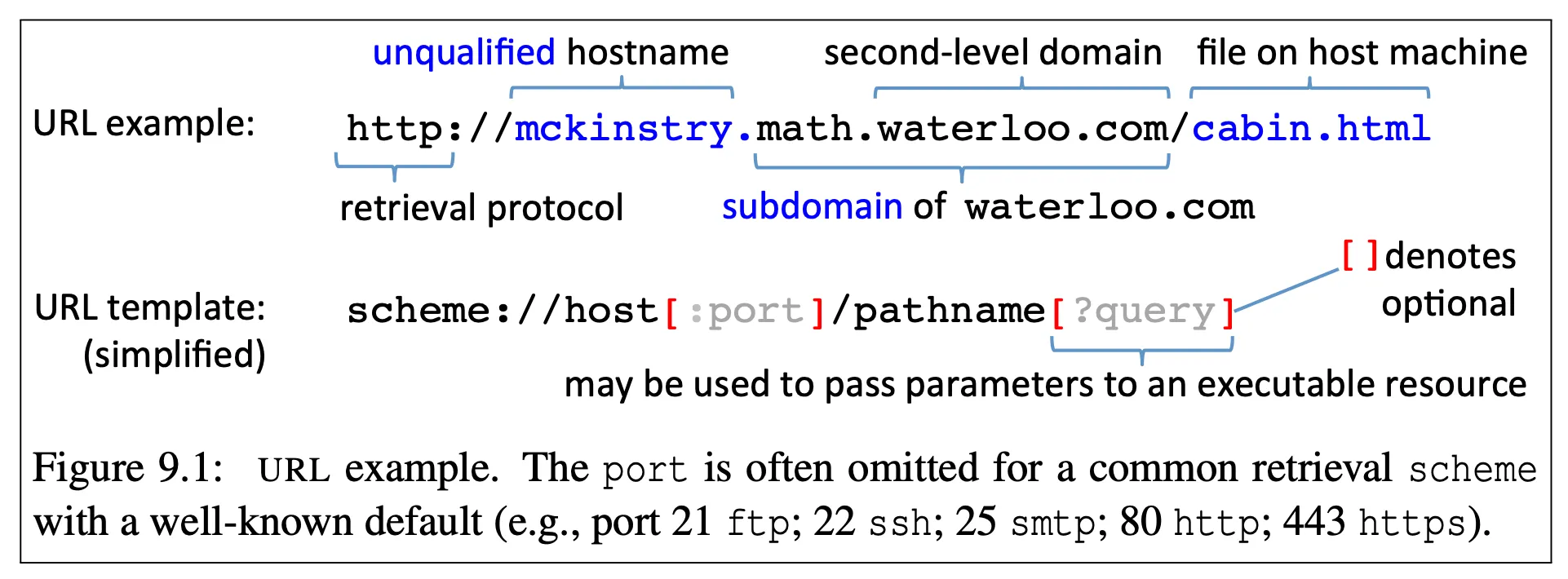
URLS
HTTP
-
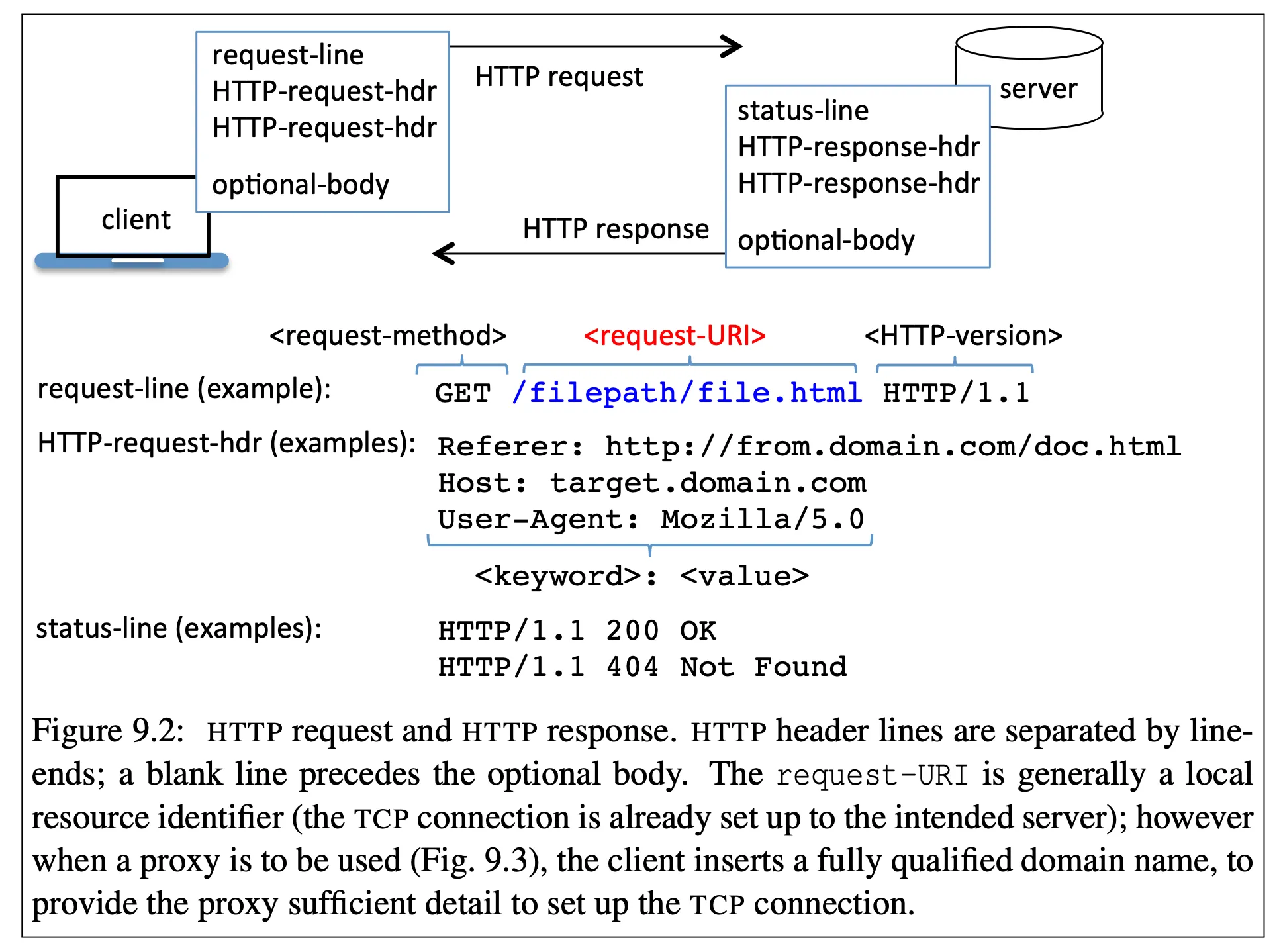
HTTP consists of request messages and responses messages
- GET: fetch a resource
- POST: create a resource
- PUT: update a resource
- DELETE: delete a resource
-
open a web browser and user browser network tools to see live requests
HTML
- markup for web pages
- links and image tags are important because they contain references to other objects
<a href="url">text</a>
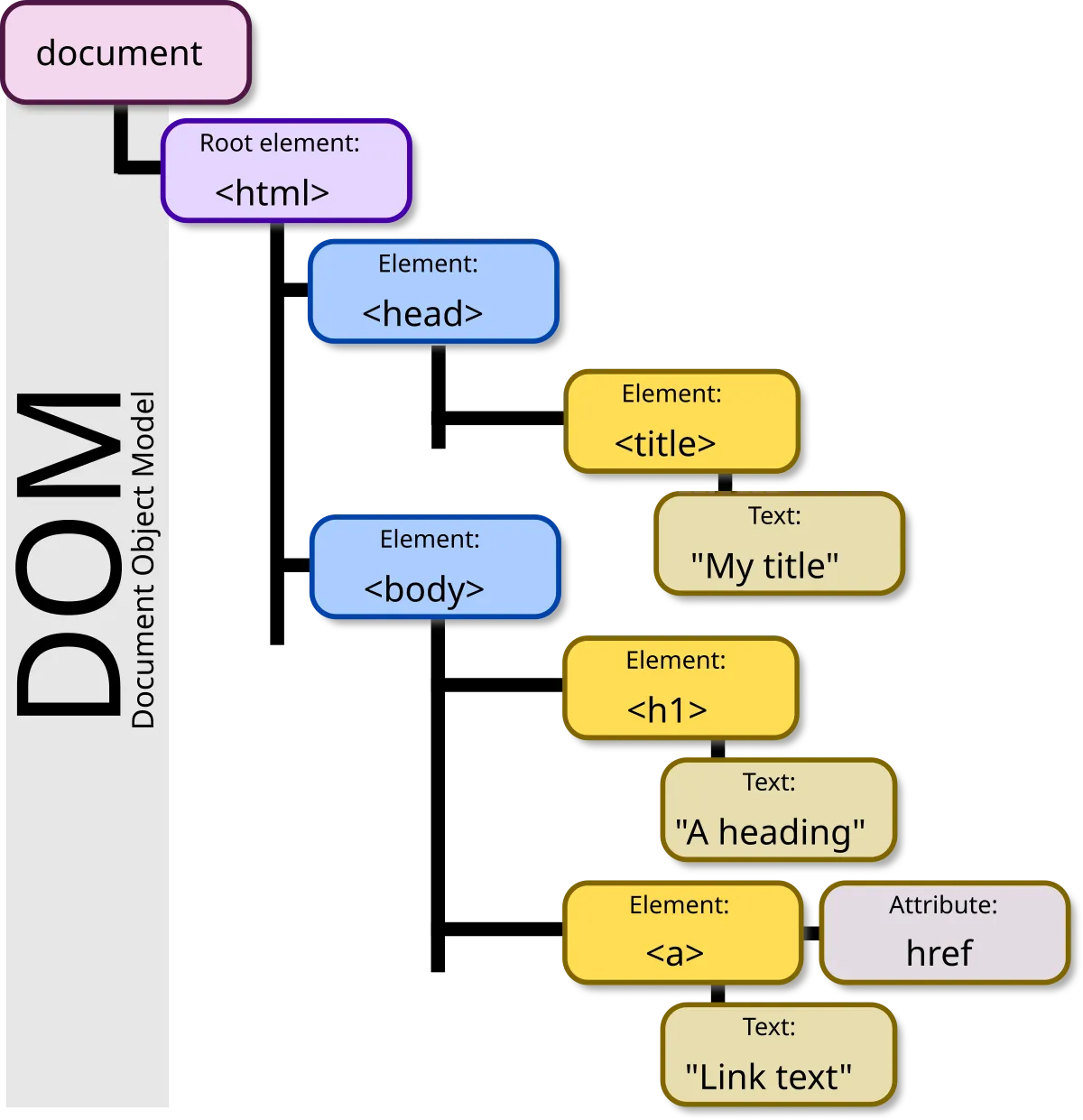
<img src="url" />- the browser interprets the HTML as a Document Object Model (DOM)
Cookies
- cookies
- HTTP is stateless (every request is independent)
- cookies provide the state
- cookies are
(key, value)pairs- can be stored in browser memory or persistently
- set in the
SetCookieheader
- open the browser developer tools, network tab to examine cookies
- important attributes
Max-AgeorExpires— controls lifetimeDomain— hosts the cookie is valid for (can’t be as broad as a TLD)Path— the file paths the cookie should be used forSecure— cookie will only be sent over HTTPSHttpOnly— only accessible over HTTP(S) and not via DOM through JavaScript on the page
JavaScript
-
runs on the client’s computer in the browser
-
can manipulate the document object model (DOM)!
- any script can go through the DOM and change any elements in it
window.document— gives you the DOMwindow.location— gives you the URL
-
can be embedded in a web page or loaded as a separate resource
-
when a page is loaded, the browser executes JavaScript found in the DOM using this process:
- Execute all JavaScript code in the order it is encountered. This includes
<script>tags and any HTML elements using asrcattribute that inject a JavaScript file. - Any script may call
document.write()or other functions to modify the DOM. Once a script finishes, the browser continues parsing the DOM. This may include parsing newly created parts of the DOM from the just-finished script. - After finishing parsing, execute JavaScript when an event handler fires. The
onloadevent fires after the document is parsed, all script blocks have run, and all external resources have loaded. Other events may beonclick. - A URL may also use the
javascript:scheme. In this scheme, the URL may contain JavaScript code in one or more semicolon-separated statements. Any return value is the body of the new document. This scheme can be in any URL, including thehrefattribute or as theactionattribute in a<form>tag.
- Execute all JavaScript code in the order it is encountered. This includes
<a href="javascript: stmt1 ; stmt2 ; void 0; ">Click me</a>Browser redirection
-
Redirection causes the browser to visit a new URL
-
JavaScript redirection
window.location = "url";window.location.href = "url";- HTML redirection after
Nseconds
<meta http-equiv="refresh" content="N; URL=new-url" />- HTTP response header redirection after
Nseconds
Refresh: N; url=new-url- HTTP response header redirection, for status code 3XX
Location: urlSummary
- walk through all the steps that occur when a browser visits a URL
- DNS lookups
- certificate verificaction for HTTPS connections
- parse HTML, creating a DOM
- run Javascript, potentially modifying the DOM
Extra Reading
-
If you need to learn JavaScript, use Eloquent JavaScript
-
Interesting attack on HTTP: Slowloris
Related Research
Cookies
-
Do Cookie Banners Respect my Choice? : Measuring Legal Compliance of Banners from IAB Europe’s Transparency and Consent Framework, 2020 IEEE Symposium on Security and Privacy
- crawled websites with cookie consent banners to evaluate violations
- some websites register positive consent even if the user has not made their choice
- some websites nudge users towards accepting consent by pre-selecting options
- some websites store a positive consent even if the user has explicitly opted out
- found at least one suspected violation in 54% of websites
- provide a browser extension for manual detection of suspected violations
-
- rejecting all cookies reduces the number of third-party tracking cookie hosts by 70% but still shows ads related to user interests (some level of profiling continues)
-
“Okay, whatever”: An Evaluation of Cookie Consent Interfaces
- studies a variety of cookie consent interfaces to see what users prefer
-
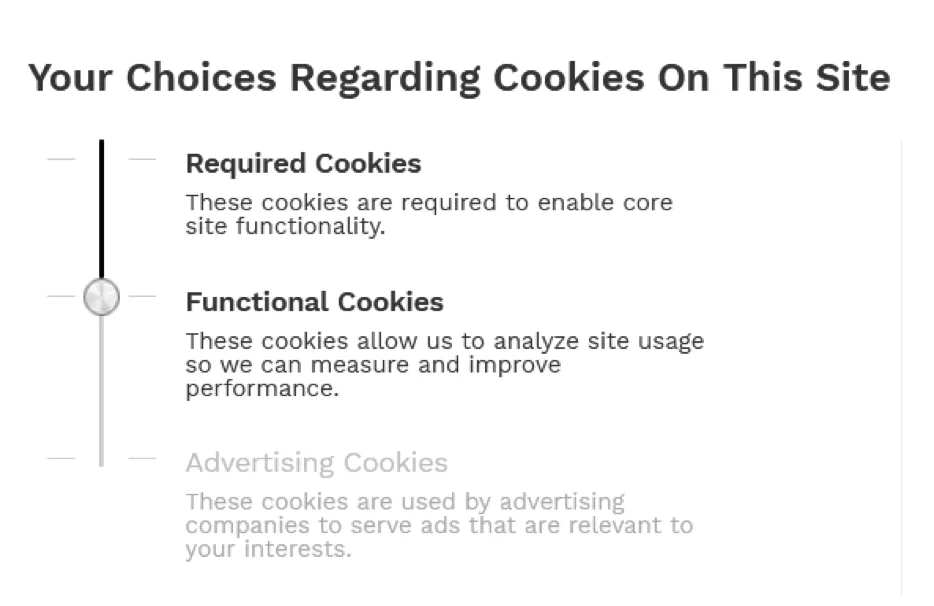
What Cookie Consent Notices Do Users Prefer: A Study In The Wild
- had users rank popular cookie consent UI designs
- users prefer the slider design
-
Automating Cookie Consent and GDPR Violation Detection, USENIX Security 2022
- develops a browser extension to automatically categorize cookies and block cookies
- filters 90% of privacy-invasive cookies without impairing website functionality
-
Online Tracking: A 1-million-site Measurement and Analysis, CCS 2016
- crawls 1 million websites to identify how online tracking is done
- identifies sophisticated fingerprinting techniques